









What are the different types of e-signatures? Use cases, examples & more Go to What are the different types of e-signatures? Use cases, examples & more
Discover the three types of e-signatures—SES, AES, and QES—plus their...
Using encryption and digital signatures, Secure/Multipurpose Internet Mail Extensions (S/MIME) certificates ensure email security, confidentiality, and integrity. Message encryption allows the sender to be confident that the signed email message will only be read by the intended recipient, while the receiver can verify the integrity and claimed origin of the message.
It’s crucial for both businesses and individuals to secure email communications and ensure message integrity. Whether you’re an individual, startup, small business, or enterprise, Sectigo offers S/MIME email certificate options that will meet your needs.
Sectigo is a leading S/MIME certificate provider and our secure email certificates are supported by all major mail applications including Microsoft Outlook, Exchange, Apple Mail, popular mobile operating systems, and more.
| Encryption | Enables end-to-end encryption of emails |
|---|---|
| Digital signature | Digitally sign emails to prevent email fraud |
| Email client support | Supported by Microsoft Outlook, Apple Mail, Gmail, and other popular email clients |
| Digital signing | Enables digitally signing Microsoft Office files (docx, pptx, xlsx, etc.) |
|---|
Securing your email just got easier. With coverage ranging from 1-2 years, Sectigo's multi-year plans provide instant savings and consistent coverage in a simplified, long-term solution. Secure email certificates from Sectigo guarantee you get our best price, locked in for 2 years.
Leveraging numerous sophisticated security features, S/MIME email certificates give users the confidence to trust their digital correspondence and avoid many of today’s attacks on enterprise email users and infrastructure. In order to enable this authentication process, there are certain steps and requirements to be aware of when ordering and receiving your Sectigo S/MIME certificate.
When ordering a Sectigo secure email certificate, you must submit a Certificate Signing Request (CSR).
A CSR (PKCS#10) is a standardized file used to request signed certificates from a certificate authority (CA). It contains the public key of the certificate subject along with other certificate attributes like Subject Name, Public Key Algorithm, etc.
You can submit a CSR that you created yourself, or it can be generated for you on the Sectigo website during the order process.
The process for ordering and collecting your certificate has four stages:
Note: Due to the validation requirements, there may be a delay between when you place your order and when you receive your certificate.
Once the order is submitted, it is validated by Sectigo. While it is being validated, the order status is Pending.
An order confirmation email will be sent to your registered email address, and you can use the Validation Manager button to check the status of your order.
Once the order has been approved, its status will change to Active. At this time you can proceed to create the certificate request.
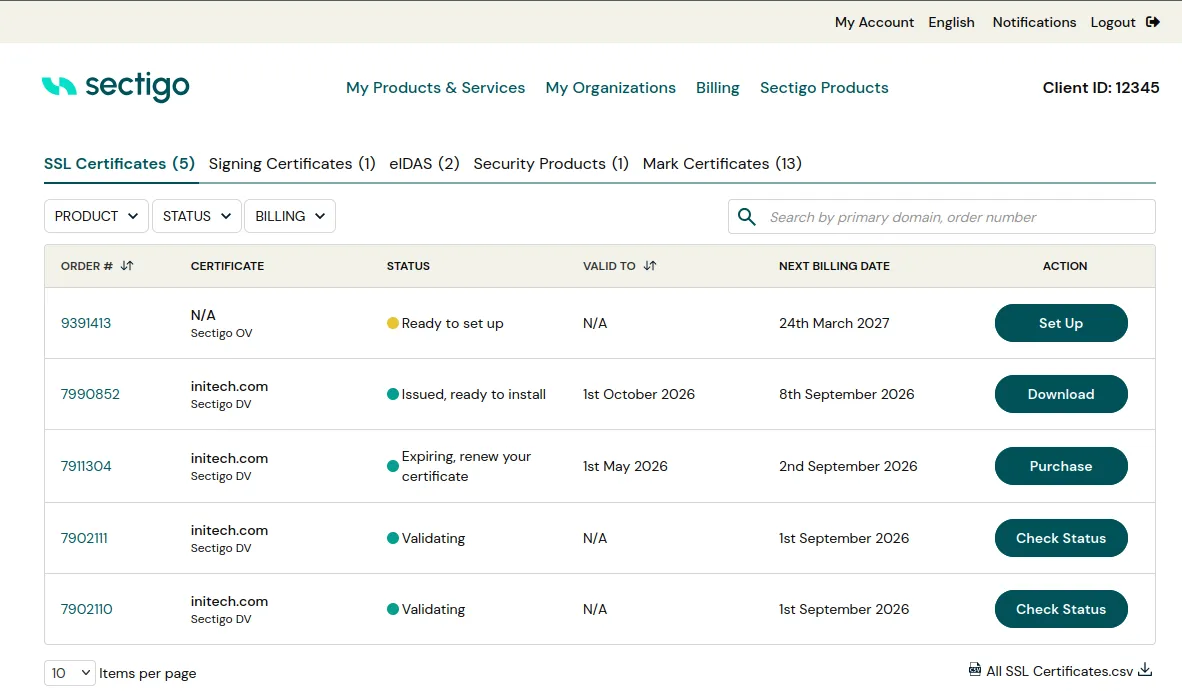
In our customer dashboard, you'll be able to view all products you have with Sectigo, view their lifecycle status, issue or reissue, and renew expiring certificates, saving you time and fear that an expired certificate may down your site at an unexpected time.
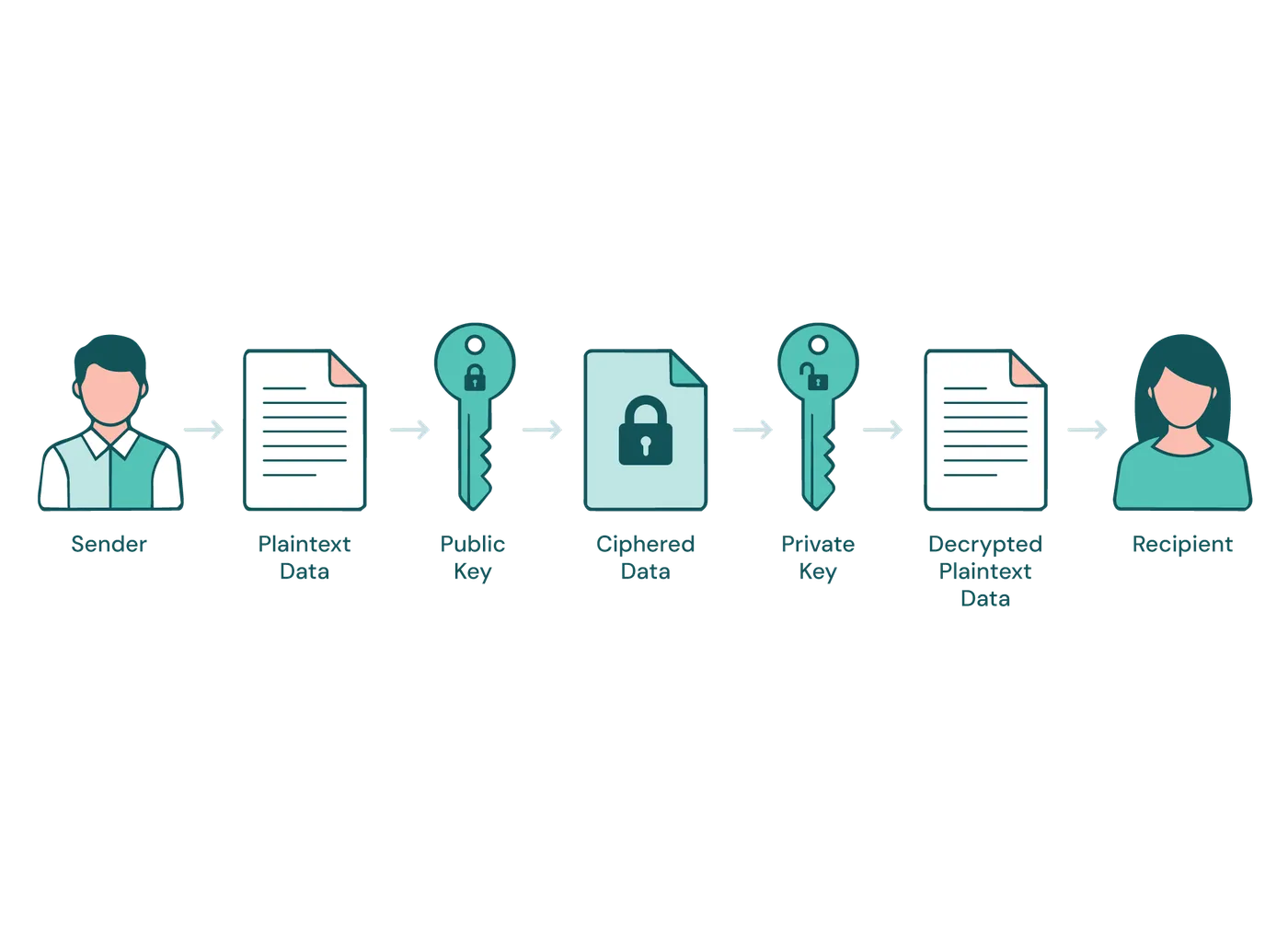
S/MIME certificates work by using asymmetric encryption to protect email communication. When an email is sent, the sender encrypts the contents using the recipient's public key, ensuring that only the recipient, with their private key, can decrypt and read it.
SMIME certificates can also be used to digitally sign an email. In that case, the private key is used for signature creation based on the email content, which verifies both the identity of the sender and that the email's contents have not been tampered with.
Securing some of the world’s largest and best-known brands.
Have another question?
Reach us by chat in the lower-right corner.
S/MIME stands for Secure/Multipurpose Internet Mail Extensions. This type of digital certificate enables users to secure the integrity and privacy of their emails. An encrypted email authenticates the message and ensures that the email has not been tampered with by an outside party.
A digital signature attached to an email message offers another layer of security and provides additional assurance to the recipient that you—not an impostor—signed the contents of the email message. Your digital signature, which includes your certificate and public key, originates from your digital ID. That digital ID serves as your unique digital mark and signals the recipient that the content hasn't been altered in transit.
Internet Explorer and Firefox ESR (version 68.x or earlier) are the recommended browsers for initiating an email certificate request.
To request an email certificate, the browser must support a key generation mechanism supported by the server. Currently, Chrome and Edge browsers do not support this function, and therefore, cannot initiate an email Certificate request.
Contact our team for help with your purchase or issuing your certificate.
Click the button below or click "Chat with an Expert" to start chatting with us now!
Discover the three types of e-signatures—SES, AES, and QES—plus their...
Using S/MIME email certificates across an enterprise - an efficient...